Create physique check-ins your coach can review.
Keep the photos, measurements and presentation of your progress organised—from your first pose to a shareable PDF.
One considered check-in.
Six clear steps.
Agree your check-in requirements with your coach first. Then use My Gym Body to prepare a record they can review.
- 01 / CAPTURE
Take your photos
Use the pose and framing guides to keep your chosen views consistent.
- 02 / ORGANISE
Keep your sets together
Use Basic 3 Images, Physique Poses, Competition Poses or a custom set.
- 03 / MEASUREMENTS
Add the numerical context
Record weight and the available body measurements that fit your check-in.
- 04 / REVIEW
Look back at your progress
Review the dated record and compare compatible photos before preparing your check-in.
- 05 / GENERATE PDF
Prepare a coach-ready record
Generate a PDF check-in with your photos and measurements.
- 06 / SHARE
Send it through your phone
Use native phone sharing and the sharing option you have agreed with your coach.
Your progress.
Ready to review.
Spend your check-in discussing the record.
A structured PDF keeps the information together for your coach. Review it before sharing and confirm that it contains the views and details they have requested.
See how measurement tracking fits in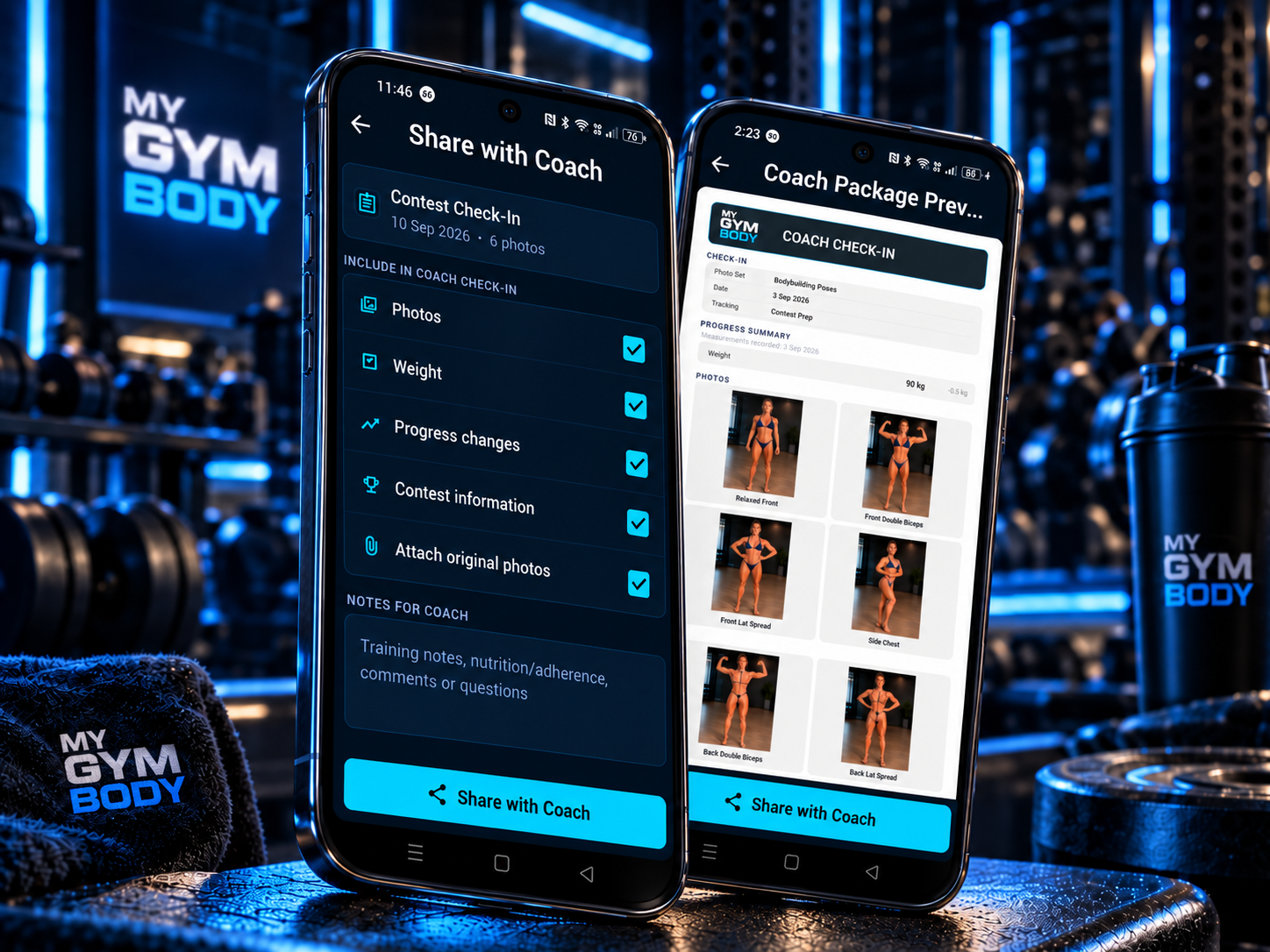
A set that fits your check-in.
Different coaches ask for different views. Use a custom photo or pose set to organise the images you need, and agree which poses to repeat each time.
Competition Poses can support your record, but your coach's instructions should guide what you submit.
Prepare a useful check-inMake every new set easier to compare.
Repeat the location, lighting, camera height and pose. Small setup changes can make two photographs difficult to compare.
Build a repeatable photo setupMy Gym Body prepares your progress record. Your coach remains the person to discuss your individual plan and next steps with.
Make your next check-in clearer.
Start with the views and details your coach needs.